 Regia
RegiaThe whole show, on one timeline.
Regia runs lights, sound, video and commands from one computer. Put your files on the timeline, mark where to wait, and press GO on show night. It works on Windows and Mac, even offline.
Build and preview everything for free. To go live: €29.90 per month.
How it works
Three steps, for a ten-minute piece or a three-hour show.
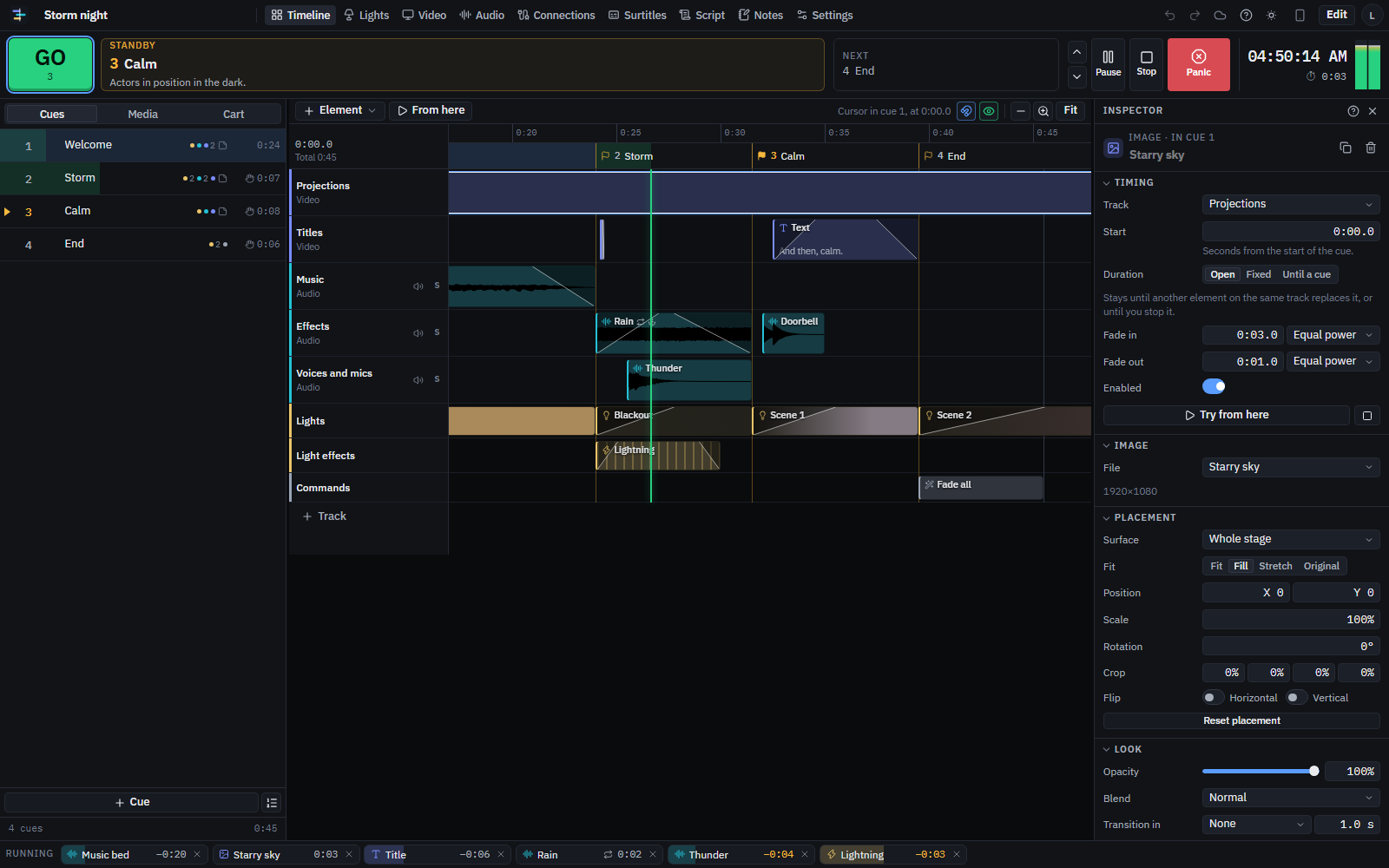
Drag sounds, videos, images and text onto the timeline. Regia reads every format and converts what the browser cannot play.
Place a GO mark wherever the timeline should stop and wait for you. Between two marks you get a cue, like in theatre playback software.
On show night press GO (or Space, or your phone). The cue’s sound, video, lights and commands start, each on its second.
Everything the booth needs
The features of sound, video, lighting and stage management software, together and in sync on the same timeline.
Sound
Several audio interfaces at once, outputs up to 32 channels, curved fades, loops that exit on GO, effects, ducking, loudness matching, spatial audio across speakers, headphone pre-listening.
Video and mapping
Full-screen projector and screen outputs, virtual stage, corner-pin and warp-grid mapping, soft edges between projectors, masks, effects, transitions, animated text and titles.
Lights
Patch with thousands of fixtures (Open Fixture Library, QLC+, GDTF), live plot, tracking looks with split times, presets, effects, chases, faders. USB DMX, Art-Net and sACN.
Commands
MIDI, MIDI Show Control, OSC, LTC and MTC timecode, PJLink projectors, OBS, TCP, UDP and HTTP commands, Wake-on-LAN. Regia controls and can be controlled.
Phone as a remote
Scan a QR and your phone becomes GO, a cart, faders, a cue light for the crew. From the stage you fix the mapping while you watch the projection.
Theatre and stage management
Locked show mode, pre-show check, multilingual surtitles, script with cues marked, rehearsal notes, show report.
Built not to stop
Works offline
No venue wifi? No problem: the app, shows and files stay on the computer.
Saves every change
Unlimited undo. Automatic copies, full export to a .regia file.
Recovers after a crash
If the computer restarts, Regia offers to resume from the cue you were on.
Panic in one key
Esc fades everything. A second press stops instantly. Lights do what you decide.
Connects to what you have
What the browser cannot do alone, the Bridge does: a small free app for Windows, Mac and Linux.
Reads every useful format
Audio
WAV, MP3, AAC, M4A, FLAC, OGG, Opus, AIFF, CAF, WMA, AC3 and more
Video
MP4, MOV, WebM, MKV, H.264, H.265, VP9, AV1, ProRes, DNxHD, AVI, WMV, MPEG-2
Images
PNG, JPG, WebP, AVIF, animated GIF and WebP, SVG, TIFF, PSD, PDF (one slide per page)
Other
TTF/OTF fonts, MIDI files, TXT/SRT/VTT/Word surtitles, QLC+/GDTF/OFL fixtures, CSV patch
One price, everything included
Without a subscription you create shows, import and convert files, program lights and mapping, and preview everything.
Start for free- Projector and screen outputs
- External and multichannel audio interfaces
- DMX lights: USB, Art-Net, sACN
- MIDI, OSC, PJLink, OBS, network
- Phone as a remote
- LTC and MTC timecode
- Online show backup
- Cancel anytime
FAQ
Do I need internet during the show?
No. After the first sign-in Regia opens offline, with shows and files already on the computer. You need a connection only for the phone remote, online backup and the fixture library.
Which computers does it run on?
Windows, Mac and Linux, with an up-to-date Google Chrome or Microsoft Edge. For projectors you need a computer with two or more video outputs.
Do I have to install anything?
No, Regia opens in the browser. The free Bridge is needed only for Art-Net, sACN, OSC, PJLink and network commands. USB DMX interfaces and MIDI work without it.
Can I use several projectors together?
Yes. Each projector gets its own full-screen window; the assistant blends several projectors into one image with soft edges.
Which DMX interfaces work?
Enttec DMX USB Pro, DMXKing ultraDMX, Enttec Open DMX and FTDI-based interfaces over USB. On the network, any Art-Net or sACN node.
Does it work with my mixer?
If your mixer accepts MIDI or OSC (Behringer X32, Midas, Yamaha via plugin, Allen & Heath), Regia sends it scenes and commands at each cue.
Can I move a show to another computer?
Yes: export a .regia file with all media and open it on the other computer. Audio interfaces, screens and DMX interfaces are chosen on each computer.
How do I cancel?
From your account, in one click, through the Stripe customer portal. The subscription stays active until the end of the paid month.